Solutions
▼
Arch
Tech Sovereignty & Self-Hosted Cloud
Build your own cloud with our application layer.
Security-Focused Microservice Framework
Build a modular or distributed application swiftly and securely.
Products
▼
Tech Sovereignty
Arch
Highly Secure, Self-Hosted, Generic Microservices / Cloud Application Layer
Resources
▼
Software Registries
Docker
Docker Container Registry
NuGet
NuGet Package Registry
Company
▼
Triunnia Labs
About
About the company.
Contact
How to contact us.
Use Cases
▼
Business Cases
Business Case
Save engineering time and cost with Arch.
Cloud Application Layer
Power your own sovereign cloud with Arch.
Get Started
▼
Arch
ARCHitecture
System overview.
How It Works
Your own sovereign platform in four steps.
FAQ
Frequently Asked Questions.
Hello World
Build your first application on Arch.
Plan Your Solution
Dev, Test, Production environments.
APIs
▼
Core
Application Api
Authenticate APIs with Arch.
Keys Api
Securely store secrets.
Tokens Api
Issue temporary tokens.
Email Api
Manage addresses and send transactional emails.
Users Api
Authenticate users with zero-knowledge technology.
Comments Api
Facilitate comments on anything.
Entity Api
Store entity data with temporal tracking.
Files Api
Store and stream files.
Manage
▼
Core
Control Panel
Configure and manage your deployment.
Services
▼
Arch
Setup and Maintenance
We will set up and optionally maintain your installation for you.
Custom Application
We will build your Arch-based application for you.
Support
▼
Arch
Contact
How to contact us.
Control Panel
Files Api
Files Api
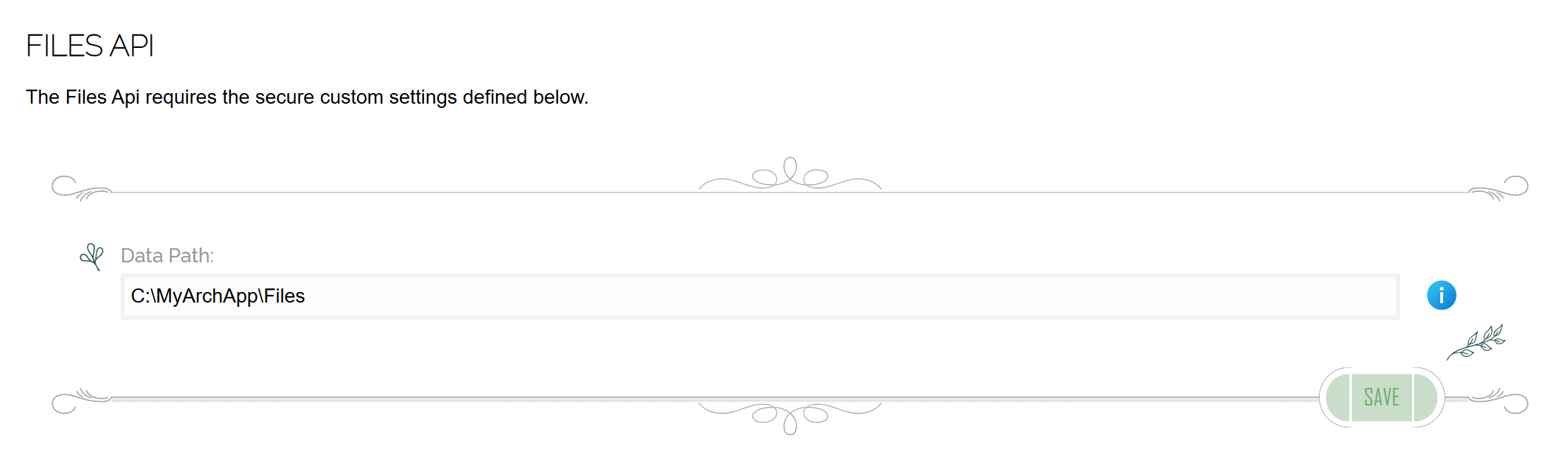
This screen configures parameters specific to setting up the Files Api.
The
Data Path
is the directory on the disk or network where the Files Api will store its files.
Tech Sovereignty
Arch
Resources
Docker Registry
NuGet Registry
Company
About
Contact
Triunnia Labs
© 2026 All Rights Reserved